Product Design 101 Session
April 17, 2025
The purpose of this meeting was to introduce Figma and Product Design Principles to Antler cohort members. The full session lasted one hour and was hosted by Zeeshan Rasool.
Key Resources
- li]:my-1 tight" data-tight="true">
Key Takeaways
- li]:my-1 tight" data-tight="true">
Figma basics: Layouts, auto-layout, components, and design libraries enable efficient prototyping
Understanding core design concepts (Ikigai, design thinking, UX/UI) provides context for product design
AI tools like V0 can accelerate prototyping by generating code from designs
Cross-platform design is best approached with generic libraries rather than platform-specific ones
Design Fundamentals
- li]:my-1 tight" data-tight="true">
Ikigai: Japanese concept for "reason for being", useful for life design and understanding oneself
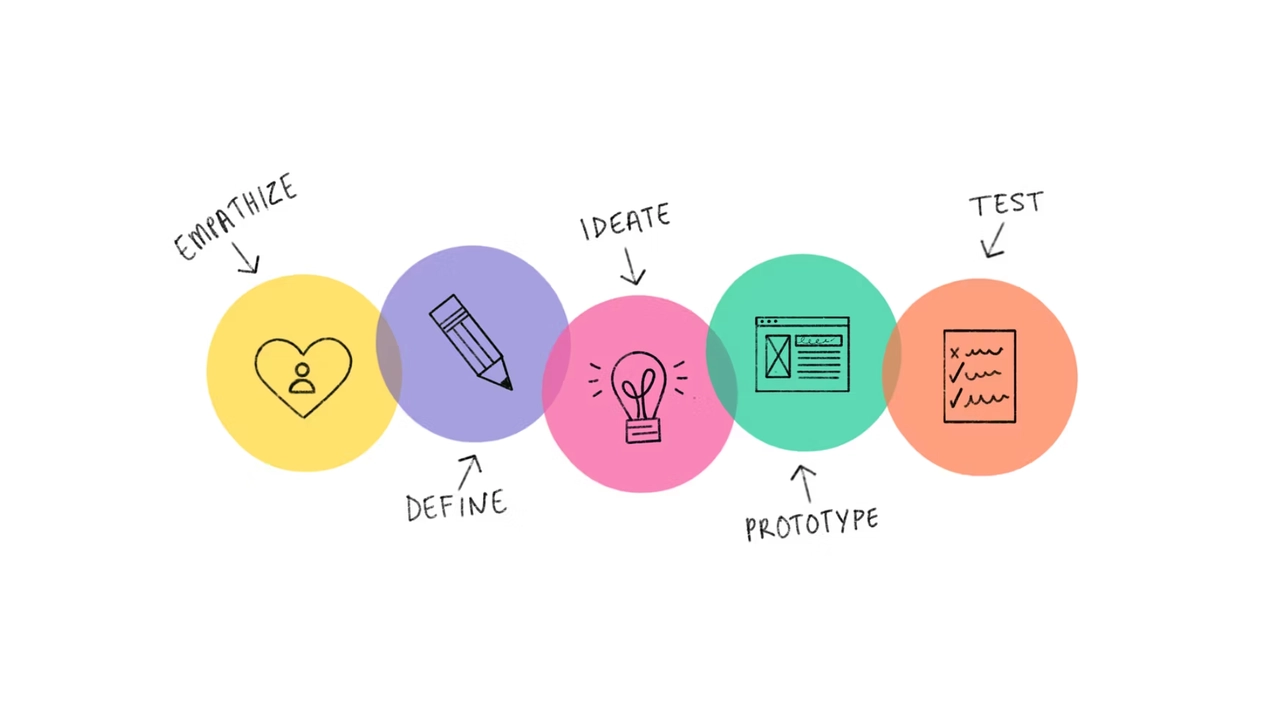
Design Thinking: Empathize, define, ideate, prototype, test cycle for problem-solving
UX vs UI: UX focuses on how things work, UI on how they look
Good design is invisible - noticed only when it doesn't work well
Figma Basics
- li]:my-1 tight" data-tight="true">
Interface overview: Projects, pages, layers, tools panel, main panel
Frames: Define canvas size for different device types
Text and shape tools: Quick creation and manipulation of design elements
Alignment and distribution: Efficiently organize elements on the canvas
Auto-layout: Powerful feature for responsive designs and consistent spacing
Advanced Figma Techniques
- li]:my-1 tight" data-tight="true">
Components: Reusable design elements that update across instances
Variants: Different states or versions of a component (e.g. light/dark mode)
Design libraries: Pre-built UI kits and component sets for rapid prototyping
Assets panel: Access to icons and other design elements
AI-Assisted Design
- li]:my-1 tight" data-tight="true">
Figma has basic AI capabilities for generating initial designs
V0 (by Vercel) can create more complex prototypes and generate corresponding code
AI tools can modify specific parts of a design on request, saving time and tokens
Next Steps
Experiment with Figma's basic and advanced features to build familiarity
Explore design libraries and AI-assisted tools for rapid prototyping
Consider how design principles can be applied to individual projects
Reach out to Zeeshan for any questions or ideas